
Samsung launched the Edge screen in 2014 and included the People Edge panel the next year. It aggregates up to 12 contacts and lets you speed dial or message them in a few taps.
Now, 11 years later, Samsung has barely touched it.
So, you can imagine my disappointment when I learned about Google’s Pixel VIPs widget, which launched in June 2025. It brings together key details about the contacts you choose in one place.
Just over a year later, Google has added nifty features to make it even more useful for Pixel owners. Meanwhile, the People panel does exactly what it did in 2015.
After spending some time with Pixel VIPs on my cousin’s Google Pixel 10 Pro, I couldn’t help but feel that my Samsung Galaxy S24 Ultra is missing something it should’ve had years ago. I’ll explain.
Setting up Pixel VIPs takes a few steps
If it’s your first time

If you own a Google Pixel 6 or newer, you can start using the Pixel VIPs widget in your Contacts app. Here’s how:
-
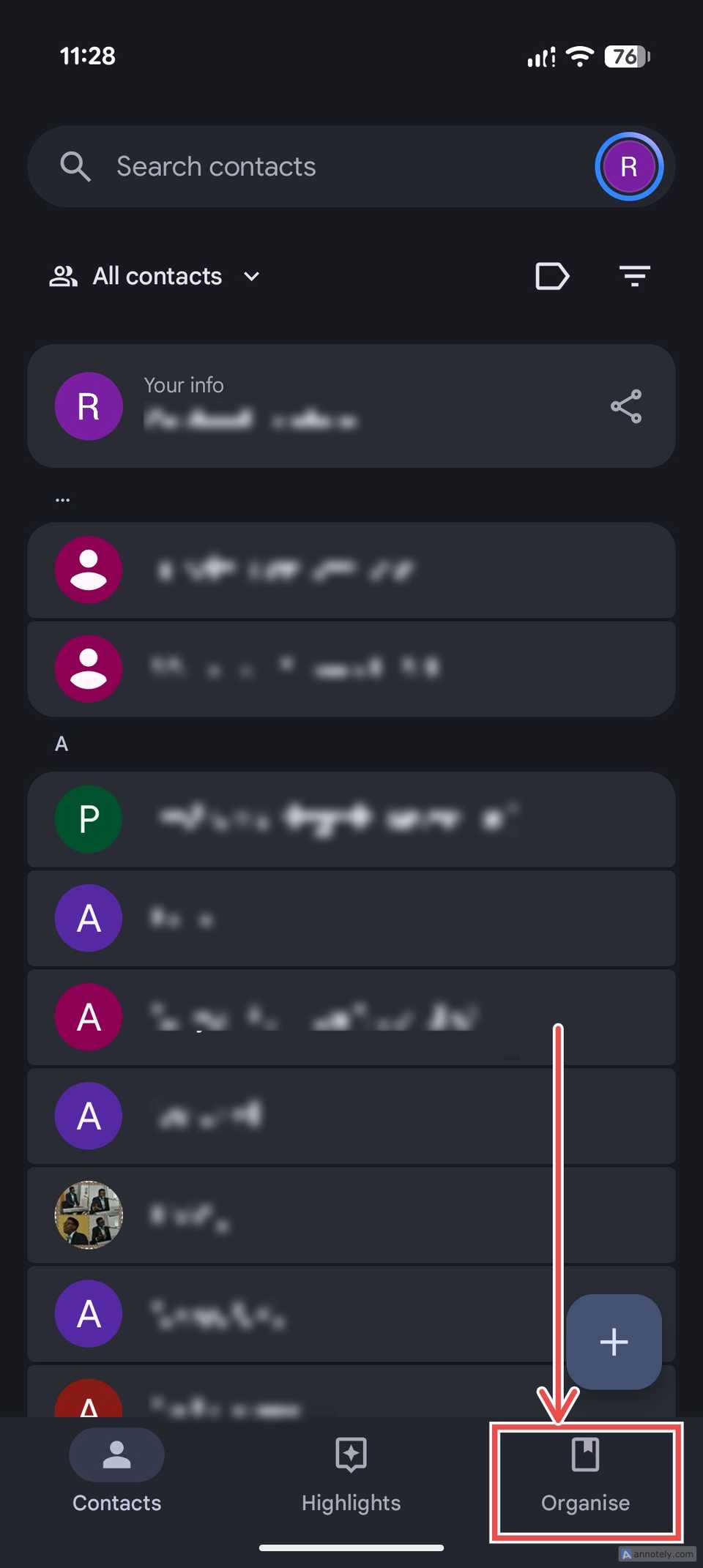
Open Contacts and go to the Organize tab in the lower-right corner of the screen.
-
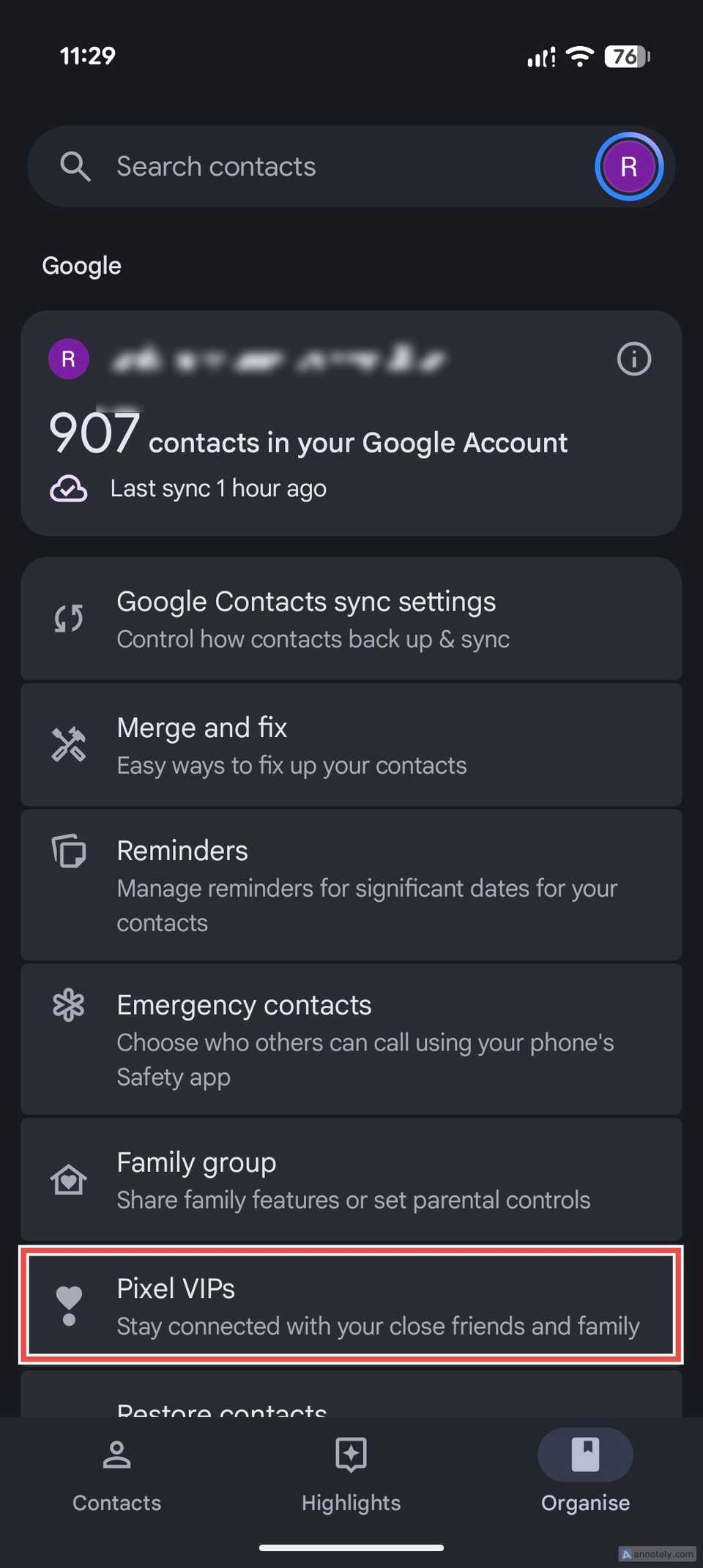
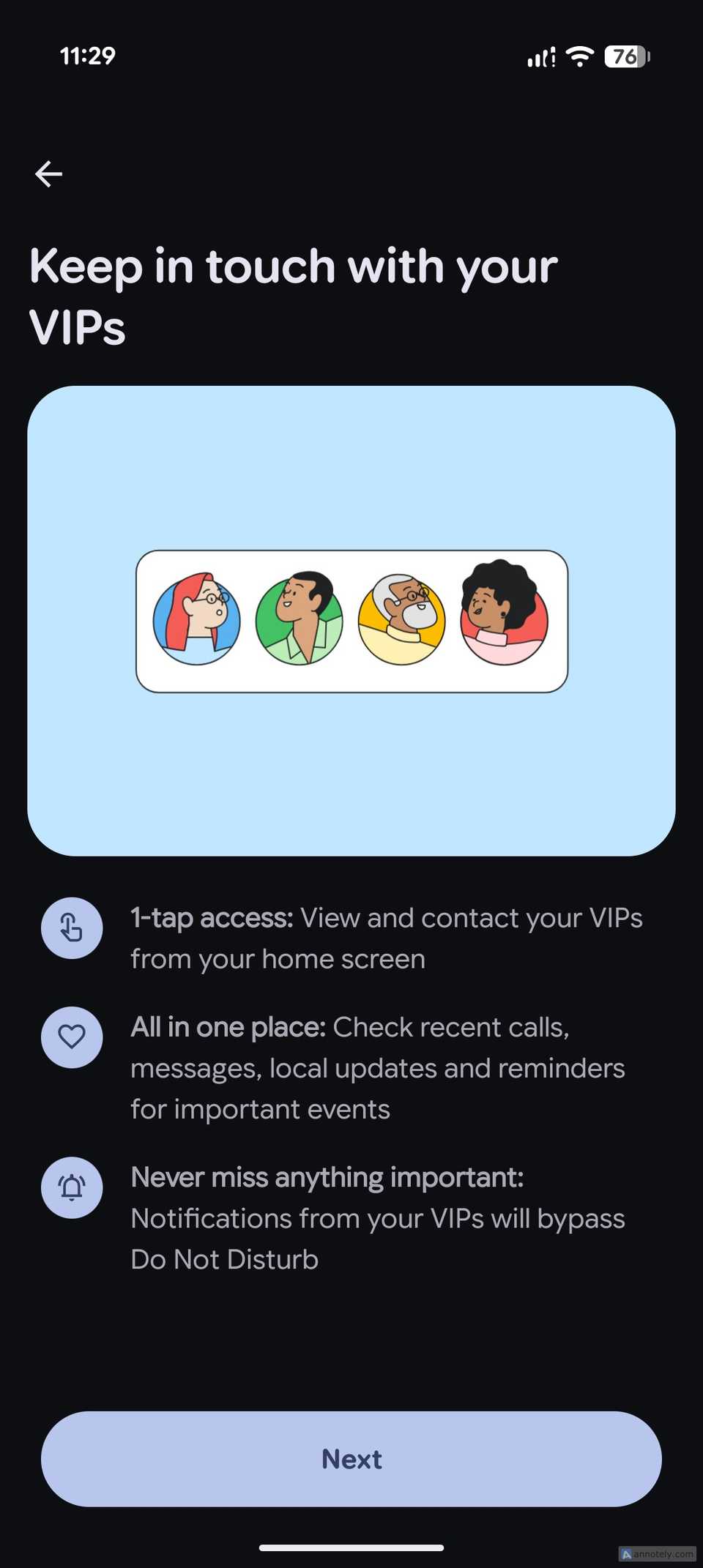
Select Pixel VIPs from the options. A short intro appears explaining the three main perks: one-tap access from your home screen, recent calls and messages in one place, and notifications that get through Do Not Disturb.
-
Select the contacts you want to add. Google suggests a few, and you can add up to 16 people.
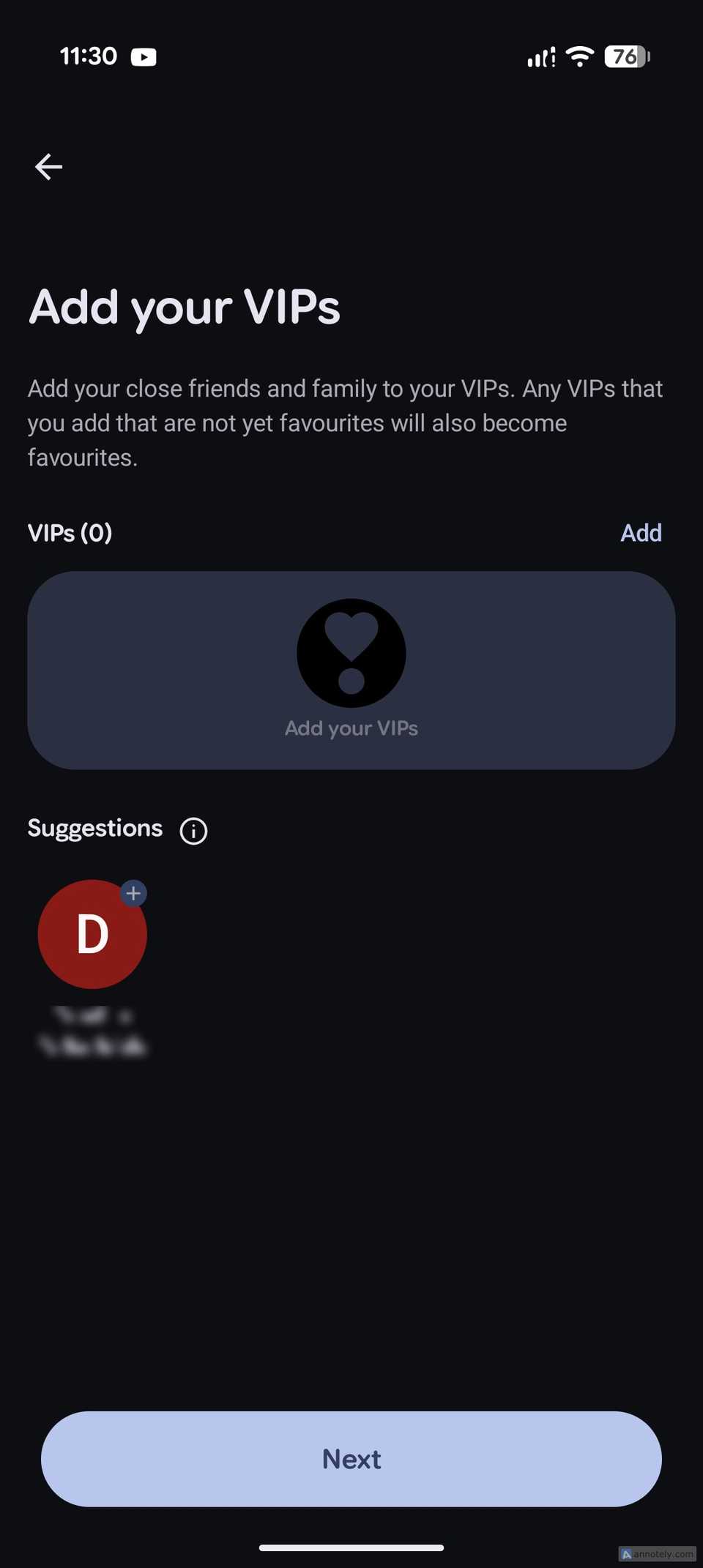
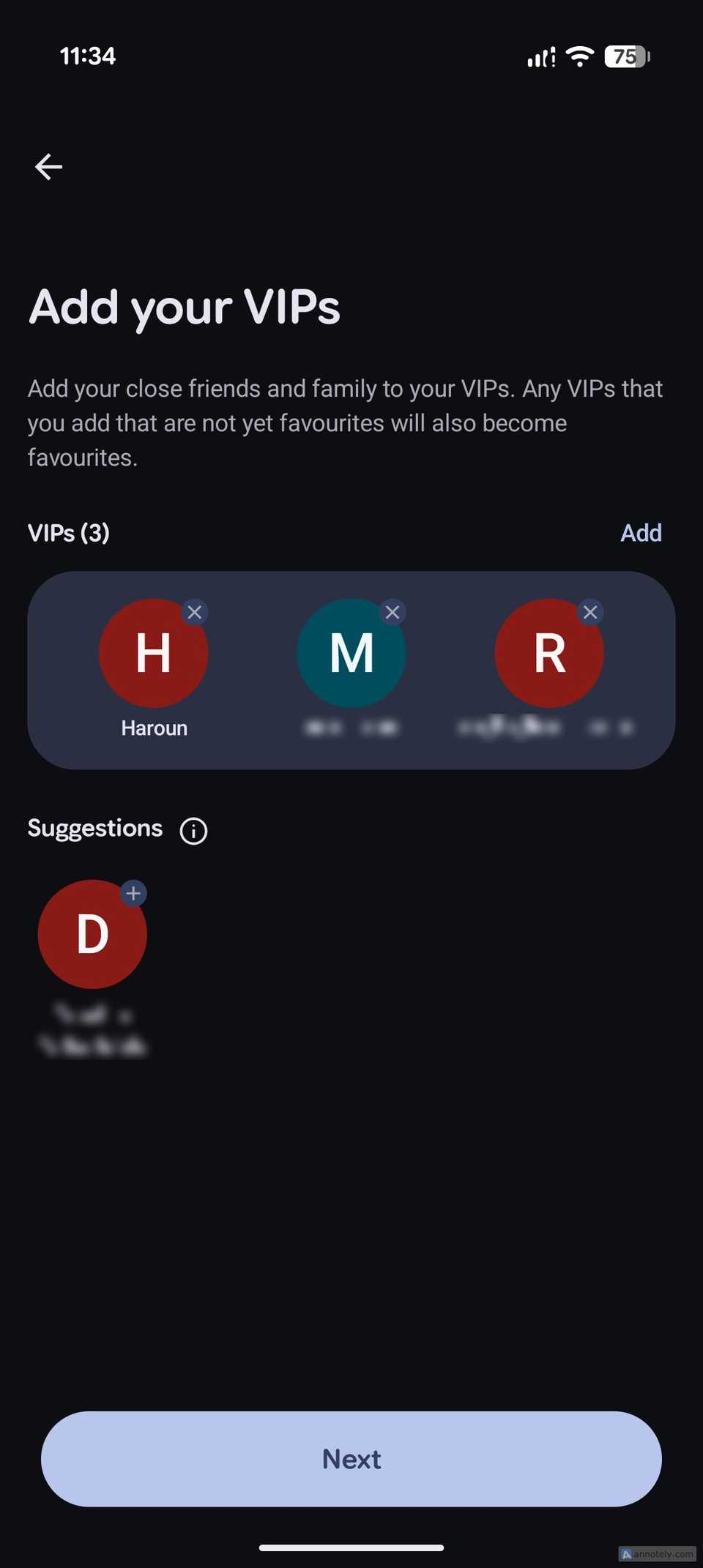


Add a contact to Pixel VIPs, and it’s automatically marked as a favorite in the Contacts app.
After the initial setup, Pixel VIPs asks for access to view and send text messages, see your last WhatsApp call and message, and use the phone’s location (precise or approximate). You can decline any of them, but the feature becomes less useful.


Finally, it asks you to add the widget to your home screen in a compact or expanded form.


Here’s how Pixel VIPs works

The widget is really just the front door. Tap a contact to see a full page about that person.
Before the September update, that was a small sheet. Now it fills the screen, with a switcher at the bottom so you can tap or swipe sideways to jump between your VIPs.


When my cousin opened my page, the top looked familiar enough: my initial (or a profile picture, if you’ve set one) and buttons to call, text, or WhatsApp me. Below that, a card nudged him to add my birthday so he’ll get a reminder.
It gets more interesting further down. A local updates section shows my location if I’ve shared it with him. If I haven’t, he can ask me to share it right from there, or add my city to see my local weather and time.
Then comes Last connection, the part that sold me on Pixel VIPs. It pulls your recent calls, text messages, and WhatsApp chats with that person into one list, with the newest first.
On my cousin’s phone, it showed a call from Aug. 3 that I’d missed. Above it were my latest WhatsApp message and a text he hadn’t read yet, both from minutes earlier. When we traded a few more messages, and I called him again, each one jumped straight to the top.


He didn’t have to open three apps to piece together our last conversation. It was all on one screen, and that’s the whole point.
Below that list is a notes section where you can jot down important details about that person.
Pixel VIPs Last connection only pulls from calls, Google Messages, and WhatsApp, so chats on Signal or Telegram won’t show up.
Prioritized notifications

Pixel VIPs also changes how your closest people reach you, starting with the widget.
The compact version shows a row of your VIPs, with a dot when one needs your attention. The larger size, new with the September update, adds buttons to call or text in one tap. If you only have one VIP, that person takes over the entire widget.


My favorite perk is even subtler. When a VIP messages you, their profile picture shows up in the status bar and always-on display instead of the Messages icon.

And when you bring down the notification panel, the message gets a highlight that makes it stand out from other notifications.
Samsung’s closest alternative is the People Edge panel
And it’s nothing like Pixel VIPs

Samsung’s closest equivalent to Pixel VIPs is the People Edge panel and contact favorites. It lets you add up to 12 contacts, which you can access by pulling a tab on the edge of the display.
Tapping a contact lets you call them directly or open the Messages app to send a text. And that’s about it.


It was impressive on the Galaxy S6 Edge in 2015, but aside from a few experiments, it’s pretty much a forgotten feature now.
Samsung should borrow this one

Samsung has always been good at taking an idea and giving you more control over it than anyone else. Pixel VIPs feels like that kind of idea.
Samsung is probably already thinking along these lines. One UI 9 adds Call Brief, which shows related calendar events and emails while you’re on a call.
A natural next step would be a page for my closest people, pulling from WhatsApp, Google Messages, and my calls.
To be fair, it’s not all one-sided. Samsung has plenty of features Pixels don’t, and some people switch from a Pixel to a Galaxy for just one.
At this point, I should probably get a Pixel 11 as a second device so I can enjoy the best of both worlds.